
Translate comic preserving the art
The comic, manga, manhwa and manhua translator. Upload your images, automatically detect text and translate it while preserving the original art. Edit on the canvas to make your work perfect and export the result.
LLM
Contextual translation
Built-in editor
Edit directly
Bulk translation
Translate many at once
Upload your files here
Drag and drop images or PDF, or click to select
Before and after
See how text is replaced while keeping the original artwork.
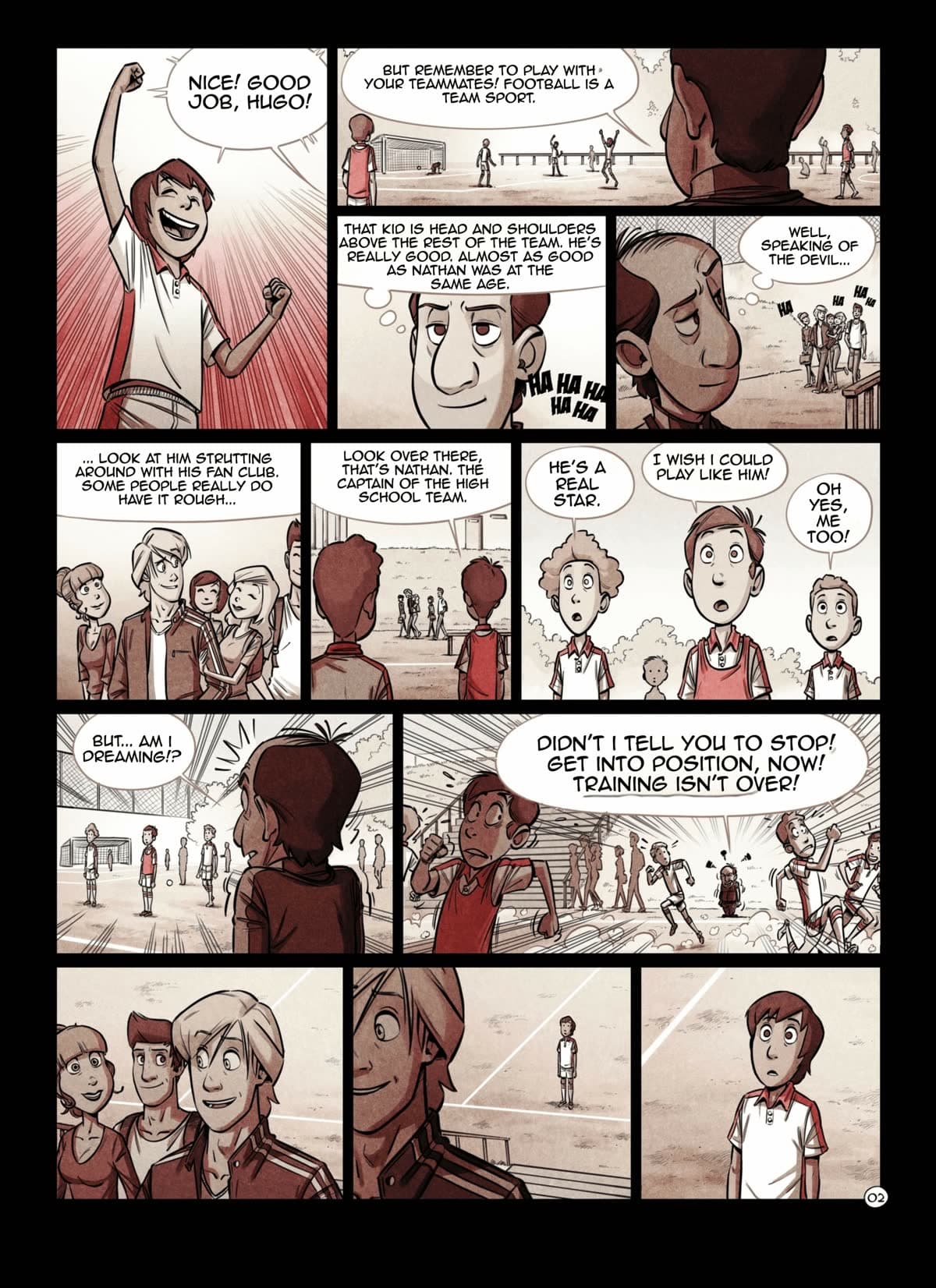
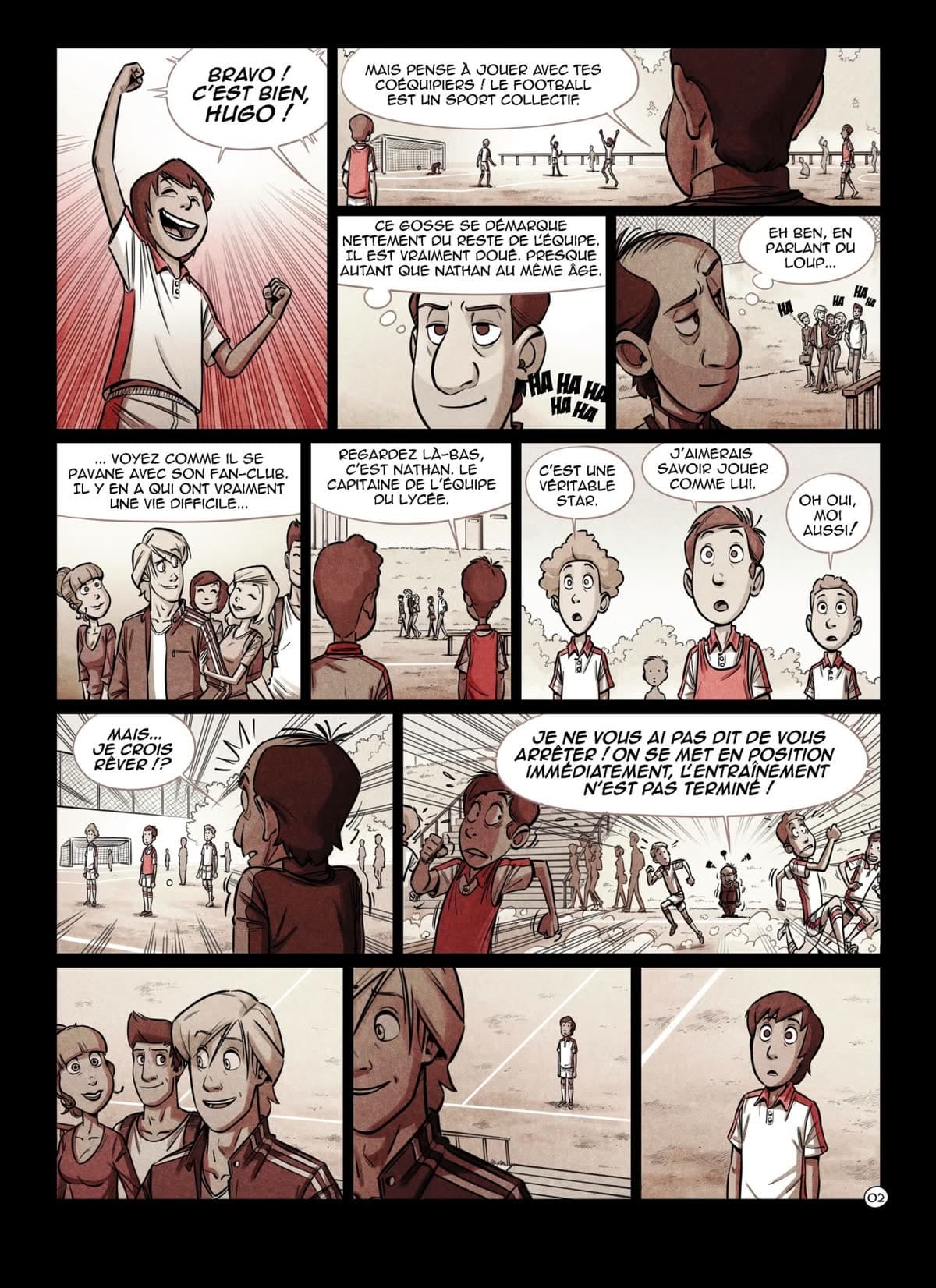
LLM translation, and an editor too
AI power combined with precise manual control for perfect results
Contextual suggestions
Understands characters and tone to propose natural translations.
Edit directly on text blocks
Adjust fonts, size and outline without leaving the canvas.
Keep sound effects
Translate or keep sound effects taking into account the context of the text and the language to translate.
Flexible export
Export your result in PNG, PDF or ZIP.
How it works
Three steps from a raw page to a finished translation.
Upload your pages
Drop images or a multi-page PDF. You can load a whole chapter at once and the reading order is kept.
Balloons are detected and translated
The speech balloons are found automatically and the text inside them is translated in context, leaving the artwork untouched.
Edit and export
Adjust any text block, font, size or position in the built-in editor, then export to PDF, PNG or JPEG at the quality you need.
Everything you need
Professional tools to translate manga, comic and graphic novels, preserving artistic integrity
Preserve original art
Translation of comic, manga and manhwa preserving the original artwork.
Large image support
Process multiple images at once without compromising quality.
Effortless bulk translation
Batch queues, per-page passes and multi-language export.
LLM translation and editor too
AI trained to translate manga and comic. Understands characters, context and tone.
Edit directly in dialogues
Adjust fonts, size and outline without leaving the canvas.
Flexible export
Export your result in PNG, PDF or ZIP.
Frequently asked questions
Everything you need to know before translating your first page.
What formats can I upload and export?
You can upload images (JPG, PNG and other common formats) and multi-page PDF files. Exports come out as PDF, PNG or JPEG, and you choose the scale and quality.
Which languages can I translate into?
More than 20, including Japanese, Korean, Chinese (Simplified and Traditional), English, Spanish, French, German, Portuguese, Russian, Arabic, Turkish, Vietnamese and Indonesian.
Does it keep the original artwork?
Yes. The speech balloons are detected and only the text inside them is replaced, so the drawing and the rest of the page stay untouched.
Can I translate a whole chapter at once?
Yes. Upload every page or a single PDF and translate them in bulk, keeping the reading order.
Can I edit the translation afterwards?
Yes. The built-in editor lets you rewrite any text block and adjust the font, size and position directly on the page.
Do I need to pay to try it?
No credit card is required to get started. Exports include a watermark by default, and removing it uses credits.
Try the app now no card required
Start translating comic, manga and manhwa, preserving the original artistic quality. Intuitive UI and professional results.