
Browser extension
Read manga and comics in your language, right where you find them
Hover over an image, click “Translate image” and the text is replaced on the page itself. No screenshots, no copy-paste, no switching tabs.
 Add to FirefoxAvailable
 Add to Microsoft EdgeAvailable
 ChromeComing soon
Free to install. Translations use the credits of your Taki Translate account.
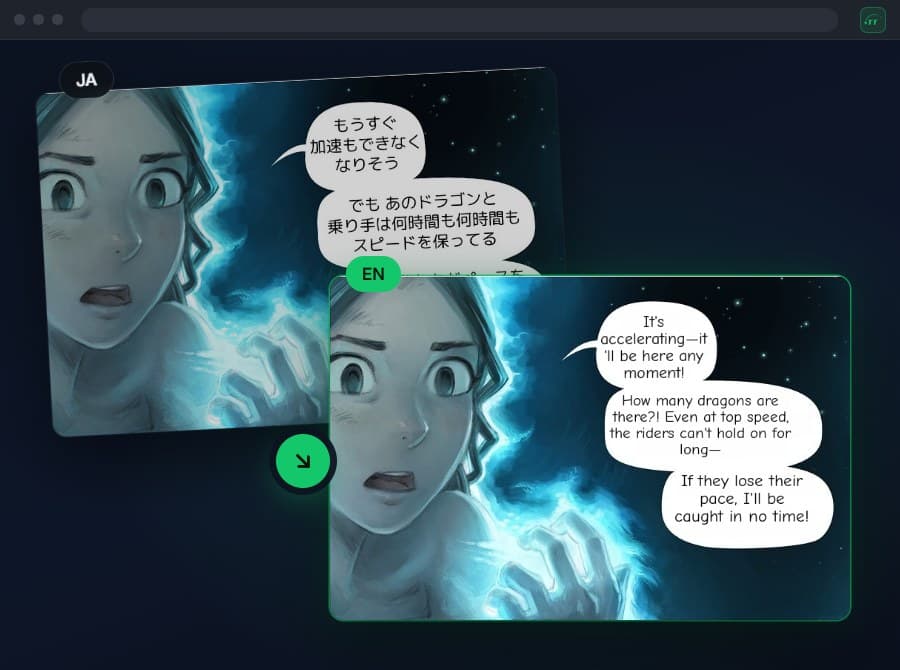
Three steps, zero friction
Hover over an image
A “Translate image” button appears on top of any image with text.
Click to translate
The extension detects the text, translates it and redraws it over the original art.
Read it in place
The page keeps its layout. “Revert” brings back the original whenever you want.
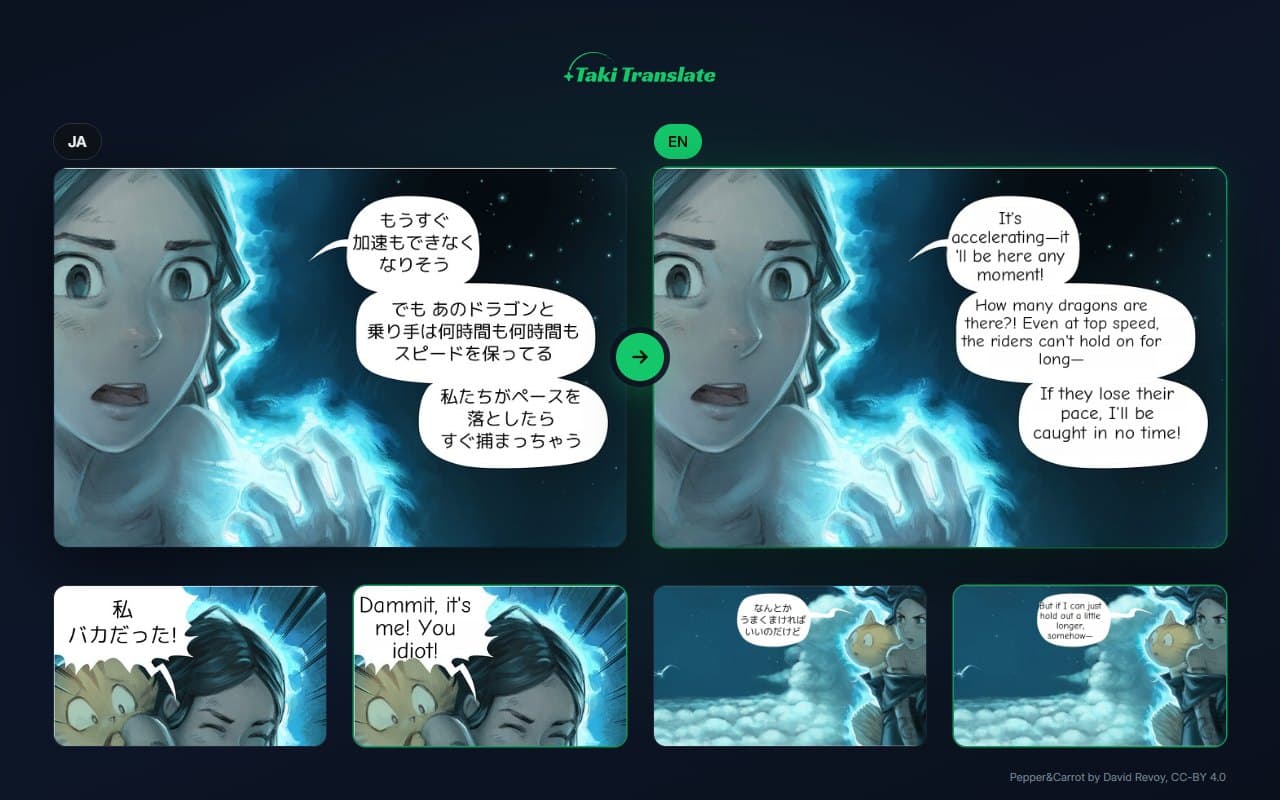
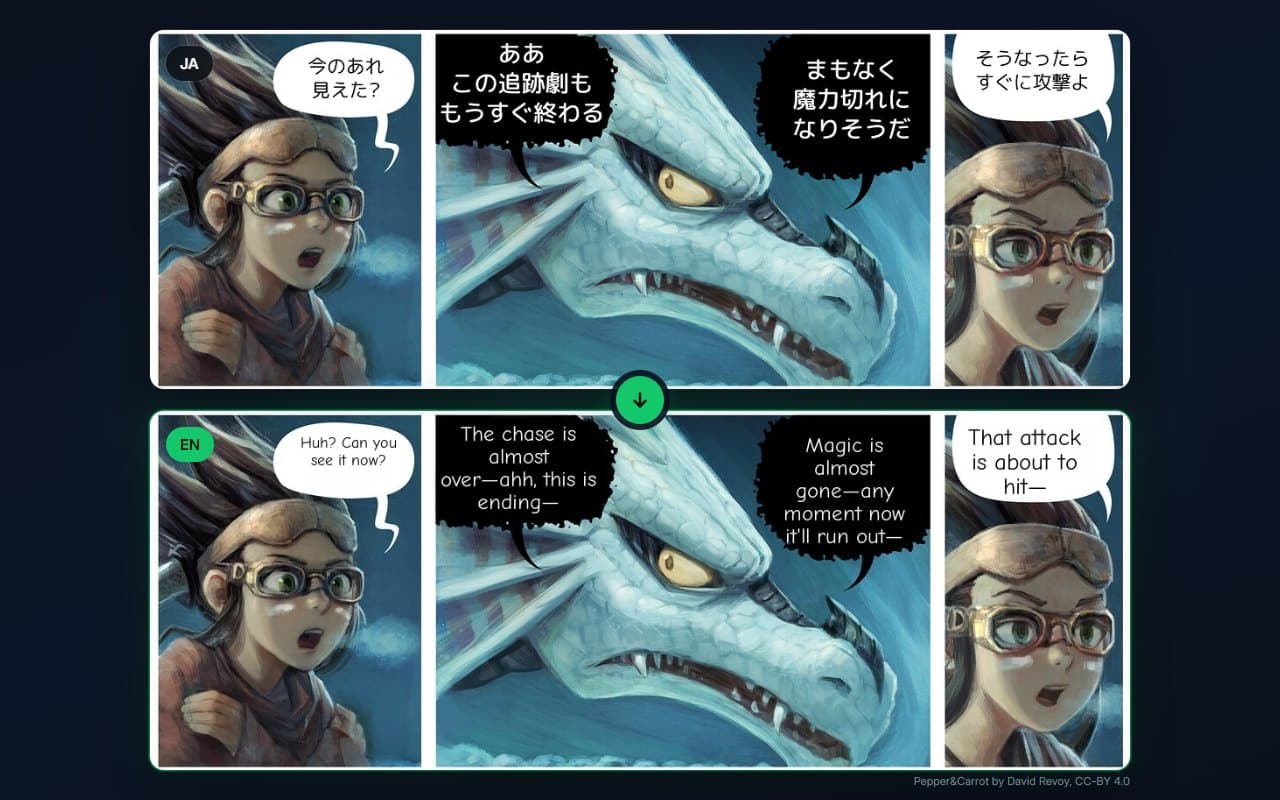
The art stays. Only the language changes.
Speech bubbles and captions are erased and redrawn in your language, without touching the drawing.
Built for people who read a lot
A whole chapter at once
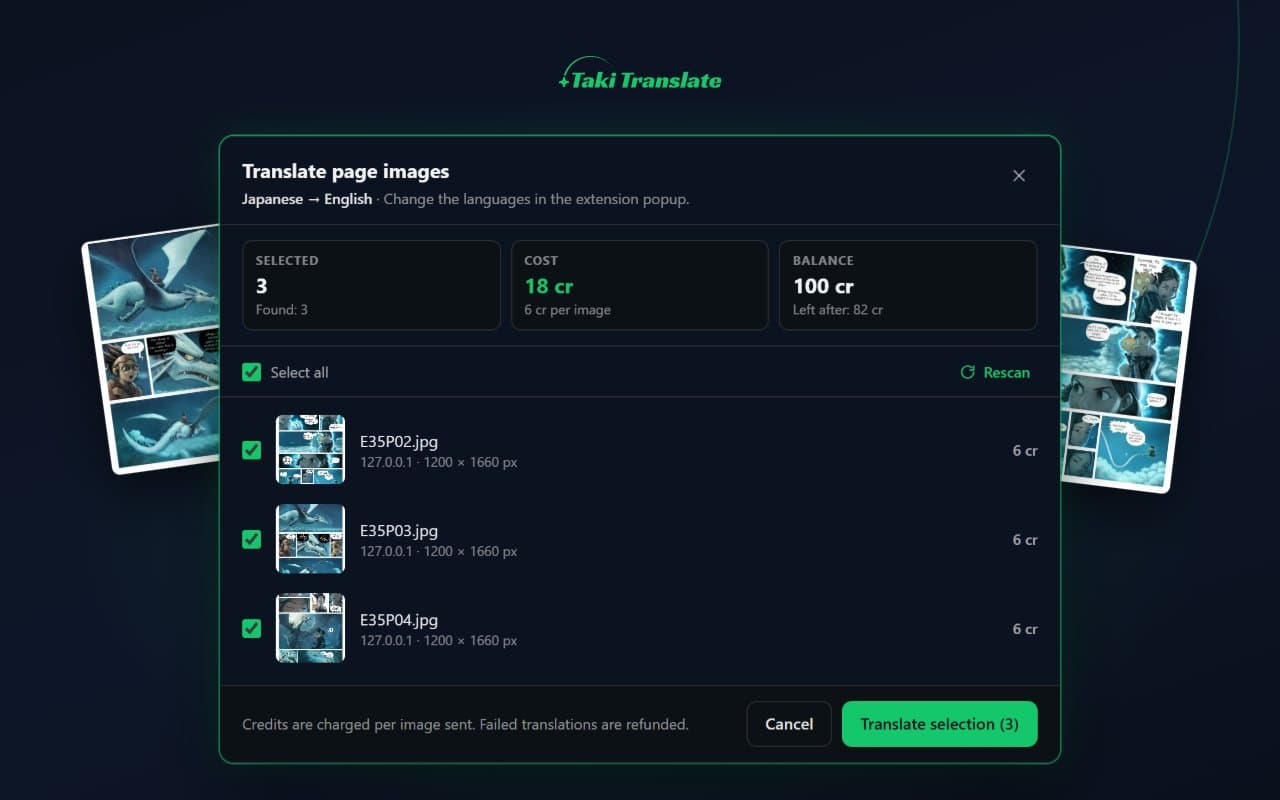
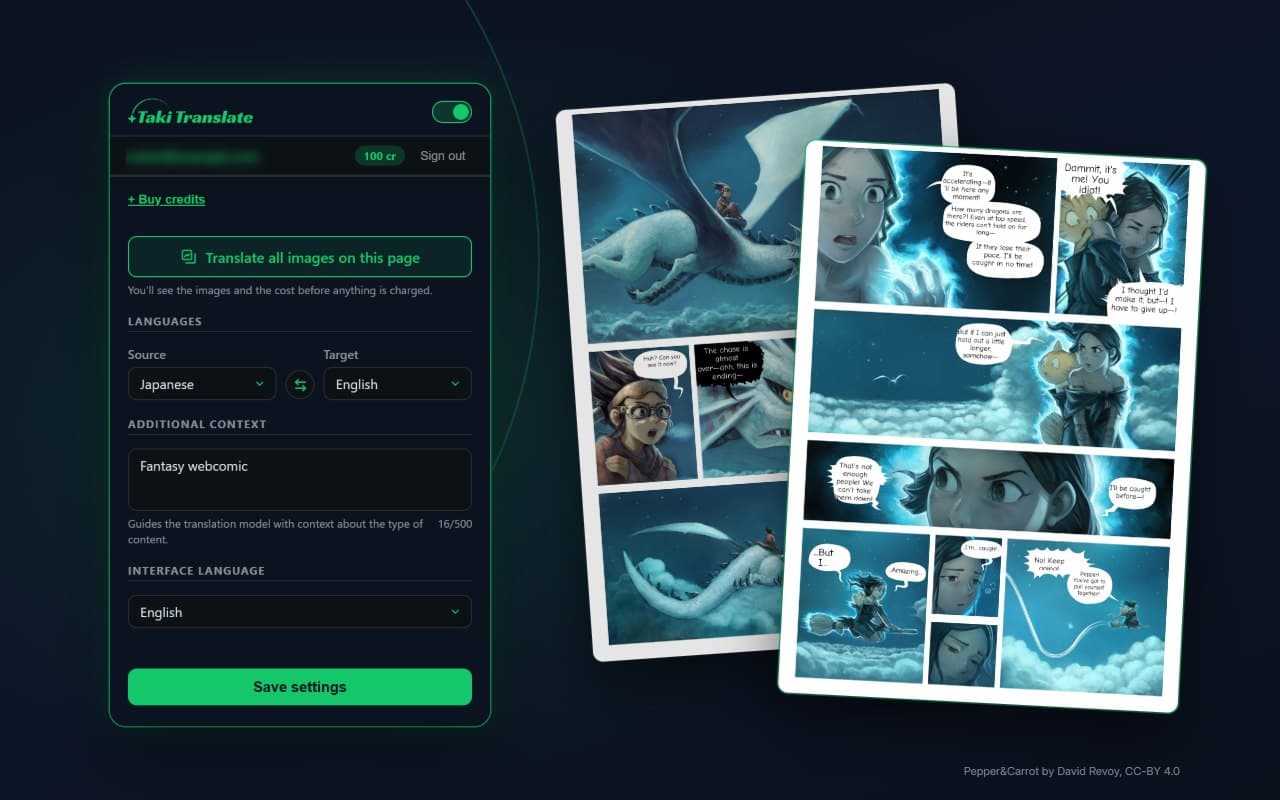
“Translate all images on this page” finds the pages worth translating and skips icons, avatars and thumbnails.
No surprises on cost
You see the exact credits before anything is charged, and failed translations are refunded.
60+ languages
Japanese, Korean, Chinese, English, Spanish and many more, in both directions.
Context for better results
Tell the AI what you are reading, like a fantasy manga or a sci-fi comic, for more natural translations.
Back to the original in one click
Switch between the translation and the original image at any time.
Works where you already read
On the websites you visit every day, with nothing to download or upload.
Your reading stays yours
Taki Translate only sends an image when you ask for it: by clicking “Translate image”, using the right-click menu or confirming the page translation. Hovering sends nothing, and the extension never reads the text of the pages you visit.
Read the privacy policyChoose your browser
It installs in seconds. Sign in with the same account you use on the website.
- Add to FirefoxAvailable
- Add to Microsoft EdgeAvailable
- ChromeComing soon
Frequently asked questions
Is the extension free?
Installing it is free. Each translation uses credits from your Taki Translate account, the same ones you use on the website, and you see the cost before confirming.
Which browsers are supported?
Firefox and Microsoft Edge today. The Chrome version is on its way.
Do I need an account?
Yes. Translations are processed on our servers, so you sign in from the extension with your email or Google account.
Which websites does it work on?
On the websites where you read comics, manga or webtoons as images. You choose which image to translate, and nothing is sent until you click.
Can I go back to the original?
Yes. The same button turns into “Revert”, and the right-click menu has “Show original image”.
Start reading in your language today
Add Taki Translate to your browser and translate your next chapter in a few clicks.
- Add to FirefoxAvailable
- Add to Microsoft EdgeAvailable
- ChromeComing soon
Comic in the images: Pepper&Carrot by David Revoy, CC BY 4.0.